Hindi Queries Team
Managing employees manually through Excel spreadsheets, emails, attendance registers and separate payroll tools can become increasingly difficult as a company grows.
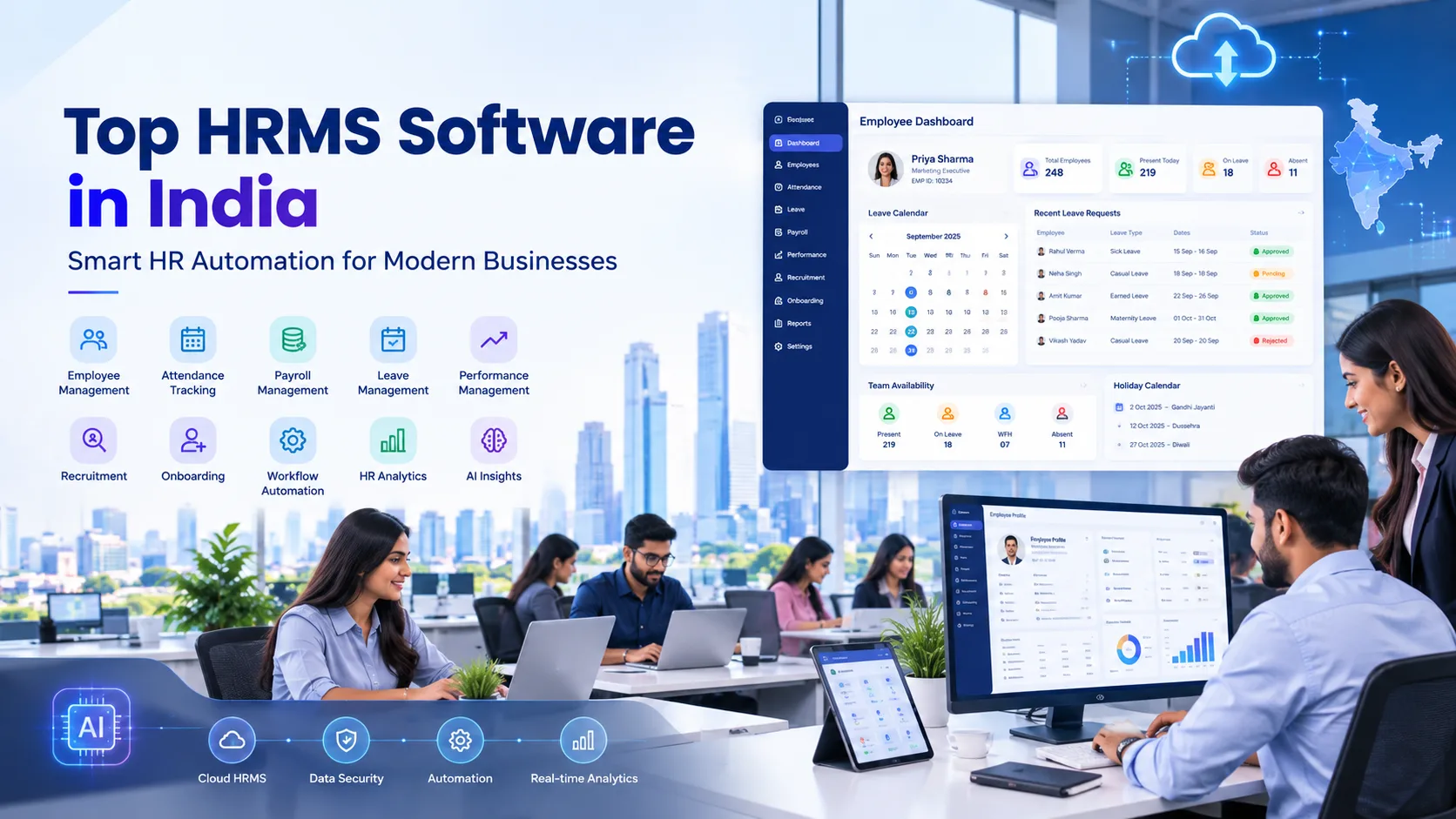
Modern HRMS software helps businesses bring core HR activities into one digital platform. Depending on the product, an HRMS can manage employee records, payroll, attendance, leave, recruitment, onboarding, performance, employee self-service, compliance and HR analytics.
For Indian businesses, HRMS selection also involves country-specific requirements such as PF, ESI, Professional Tax, TDS, payroll processing and multi-location workforce management. Current 2026 HRMS comparisons emphasize these capabilities along with automation, employee self-service and integrations.
In this guide, we explore 10 HRMS software options in India for 2026, including greytHR, Keka, Zoho People, Darwinbox, factoHR, HROne, Pocket HRMS, ZingHR, PeopleStrong and Spine HR.
Quick Answer: The right HRMS depends on your employee count, payroll requirements, compliance needs, attendance setup, HR workflows, budget and growth plans. Instead of choosing software only because it appears on a “top 10” list, compare the features and implementation requirements that matter to your organization.
What Is HRMS Software?
HRMS stands for Human Resource Management System.
It is software designed to centralize and automate HR activities that would otherwise require multiple spreadsheets, documents and applications.
A modern HRMS may include:
- Employee database
- Payroll
- Attendance
- Leave management
- Recruitment
- Onboarding
- Performance management
- Employee self-service
- Expense management
- Shift management
- Payroll compliance
- HR analytics
- Document management
- Employee communication
- Exit and full-and-final settlement
For Indian organizations, payroll and compliance are particularly important because HR teams may need to manage areas such as PF, ESI, TDS, Professional Tax and other statutory requirements.
Not every HRMS includes every module, so businesses should verify the exact features and integrations available in their selected plan.
10 HRMS Software in India for Smart HR Automation
The following platforms are widely discussed in current 2026 Indian HRMS comparisons. They serve different segments, so this should be treated as a comparison rather than a universal ranking.
1. greytHR
Best suited for: Small and medium businesses as well as organizations looking for a broad HR and payroll platform.
greytHR is an established HRMS platform offering functionality around core HR, payroll, attendance, leave and employee self-service.
Its current HR software comparison highlights capabilities across payroll, attendance, leave, recruitment, performance, mobile apps, reporting and automation.
Key Features
- Employee information management
- Payroll
- Attendance
- Leave management
- Employee self-service
- Recruitment
- Performance management
- Reports and analytics
- Mobile access
- HR automation
Why Businesses May Consider It
Businesses that currently manage payroll, attendance and employee information separately can use an integrated HRMS to centralize these workflows.
Suitable For
- Startups
- SMEs
- Growing businesses
- HR teams
- Payroll teams
Website: greytHR
2. Keka
Best suited for: Growing companies looking for HR, payroll, attendance and employee-management capabilities in one platform.
Keka is another frequently compared HRMS platform in India. Current 2026 comparisons highlight its unified HR and payroll capabilities along with attendance and performance features.
Key Features
- Core HR
- Payroll
- Attendance
- Leave management
- Performance management
- Employee self-service
- Recruitment
- Onboarding
- Expense management
- Reports
- Mobile HR
Business Use
Keka can be considered by organizations that want to connect employee information with payroll, attendance and broader employee workflows.
Suitable For
- Startups
- Technology companies
- SMEs
- Growing organizations
- Mid-market businesses
Website: Keka
3. Zoho People
Best suited for: Businesses looking for cloud HR software and organizations already using the Zoho ecosystem.
Zoho People provides HR management capabilities around employee information, attendance, leave, onboarding and performance. Current 2026 comparisons also highlight its modular approach and integrations with the wider Zoho ecosystem.
Key Features
- Employee database
- Leave management
- Attendance
- Timesheets
- Performance management
- Onboarding
- Employee self-service
- HR workflows
- Reports
- Integrations
Why Consider It?
Businesses already using products such as Zoho CRM, Zoho Books or other Zoho applications may benefit from keeping HR workflows within the same broader software ecosystem.
Suitable For
- Startups
- SMEs
- Growing companies
- Zoho ecosystem users
Website: Zoho People
4. Darwinbox
Best suited for: Medium and large organizations requiring a broader enterprise HR platform.
Darwinbox is positioned as an enterprise-oriented HR technology platform covering multiple aspects of the employee lifecycle.
Current 2026 comparisons associate it with enterprise HR, talent, workforce and analytics capabilities.
Key Features
- Core HR
- Recruitment
- Onboarding
- Payroll
- Attendance
- Leave
- Performance
- Talent management
- Workforce management
- Analytics
- Employee engagement
- Mobile HR
Why Businesses May Consider It
For larger organizations, HR software needs to handle more than employee records and payroll. Businesses may need configurable workflows, multiple organizational structures, analytics and workforce management.
Suitable For
- Large businesses
- Enterprises
- Multi-location organizations
- Complex HR operations
Website: Darwinbox
5. factoHR
Best suited for: Businesses looking for an integrated HRMS with payroll, attendance and employee-management capabilities.
factoHR is frequently included in current Indian HRMS comparisons. Its platform covers HR, payroll and workforce-related processes.
Key Features
- Core HR
- Payroll
- Attendance
- Leave
- Employee self-service
- Performance management
- Recruitment
- Expense management
- Reports
- Mobile application
- HR automation
Business Use
factoHR can be evaluated by organizations that want to connect employee information, attendance, payroll and HR processes within one system.
Suitable For
- SMEs
- Growing companies
- Mid-sized businesses
- Organizations with field employees
Website: factoHR
6. HROne
Best suited for: Mid-sized and larger businesses looking for an integrated HR management platform.
HROne appears consistently in current 2026 HRMS comparisons. Its functionality spans HR management, payroll, attendance and other employee processes.
Key Features
- Core HR
- Payroll
- Attendance
- Leave
- Recruitment
- Employee self-service
- Performance management
- Training
- HR analytics
- Mobile HR
Why Businesses May Consider It
Organizations with multiple HR processes may benefit from connecting employee records, payroll, attendance, recruitment and performance workflows.
Suitable For
- Mid-sized organizations
- Large businesses
- Multi-location companies
- Growing enterprises
Website: HROne
7. Pocket HRMS
Best suited for: Small and medium businesses looking for cloud HRMS and employee self-service.
Pocket HRMS is included in several current Indian HRMS comparisons and focuses on cloud-based HR management.
Key Features
- Employee management
- Payroll
- Attendance
- Leave management
- Employee self-service
- Mobile application
- Recruitment
- Performance
- Expense management
- HR reports
Why Businesses May Consider It
For smaller organizations, employee self-service and mobile access can reduce repetitive HR administration.
Employees can potentially access information such as:
- Payslips
- Leave balances
- Attendance
- HR documents
- Tax information
Suitable For
- Small businesses
- SMEs
- Growing teams
- Mobile workforce
Website: Pocket HRMS
8. ZingHR
Best suited for: Larger organizations looking for HR, workforce and talent-management capabilities.
ZingHR appears in current 2026 HRMS and HRIS comparisons, particularly in the enterprise segment.
Key Features
- Core HR
- Payroll
- Attendance
- Leave
- Recruitment
- Performance management
- Talent management
- Employee engagement
- Workforce management
- Analytics
Business Use
Organizations with complex workforce structures can evaluate ZingHR for broader HR automation beyond basic payroll and attendance.
Suitable For
- Enterprises
- Large organizations
- Multi-location businesses
- Complex workforce environments
Website: ZingHR
9. PeopleStrong
Best suited for: Medium and large organizations looking for a broader HR and workforce platform.
PeopleStrong is another major name in current 2026 HRMS comparisons and is generally positioned toward organizations requiring broader HR capabilities.
Key Features
- Core HR
- Payroll
- Attendance
- Leave
- Recruitment
- Performance
- Talent management
- Workforce management
- Employee experience
- Analytics
- Mobile HR
Why Businesses May Consider It
Large organizations often need HR software that connects multiple employee processes rather than using independent applications.
Suitable For
- Mid-sized organizations
- Enterprises
- Multi-location businesses
- Large HR teams
Website: PeopleStrong
10. Spine HR
Best suited for: Organizations looking for configurable HR, payroll and workforce-management functionality.
Spine HR is included in current 2026 HRMS comparisons, particularly among platforms offering customizable HR and payroll modules.
Key Features
- Core HR
- Payroll
- Attendance
- Leave
- Employee management
- Performance
- Recruitment
- Reports
- HR workflows
- Payroll processing
Why Businesses May Consider It
Organizations with specific HR and payroll workflows can evaluate the platform’s configuration and integration capabilities before implementation.
Suitable For
- SMEs
- Growing businesses
- Mid-sized companies
- Organizations with customized HR workflows
Website: Spine HR
HRMS Software Comparison
| HRMS | Core HR | Payroll | Attendance | Leave | Recruitment | Performance | Mobile/ESS |
|---|---|---|---|---|---|---|---|
| greytHR | Yes | Yes | Yes | Yes | Yes | Yes | Yes |
| Keka | Yes | Yes | Yes | Yes | Yes | Yes | Yes |
| Zoho People | Yes | Integration/related Zoho products | Yes | Yes | Yes | Yes | Yes |
| Darwinbox | Yes | Yes | Yes | Yes | Yes | Yes | Yes |
| factoHR | Yes | Yes | Yes | Yes | Yes | Yes | Yes |
| HROne | Yes | Yes | Yes | Yes | Yes | Yes | Yes |
| Pocket HRMS | Yes | Yes | Yes | Yes | Yes | Yes | Yes |
| ZingHR | Yes | Yes | Yes | Yes | Yes | Yes | Yes |
| PeopleStrong | Yes | Yes | Yes | Yes | Yes | Yes | Yes |
| Spine HR | Yes | Yes | Yes | Yes | Yes | Yes | Yes |
Note: Feature availability can depend on the product edition, plan, configuration and third-party integrations. Always verify the current feature list with the vendor before purchasing.
Key Features of Modern HRMS Software
1. Core Employee Management
An HRMS should provide a centralized employee database.
Instead of maintaining separate Excel files, HR teams can manage information such as:
- Employee profiles
- Contact details
- Job information
- Department
- Designation
- Reporting manager
- Documents
- Employment history
This creates a centralized source of employee information.
2. Payroll Automation
Payroll is one of the most important HRMS functions for Indian businesses.
A payroll module can help automate:
- Salary calculation
- Payslips
- Deductions
- PF
- ESI
- Professional Tax
- TDS
- Bonuses
- Reimbursements
- Arrears
- Full-and-final settlement
Indian HRMS buyers should specifically verify the statutory rules and states supported by the selected platform.
3. Attendance Management
Modern HRMS platforms can connect attendance with payroll and leave.
Depending on the software, attendance may include:
- Biometric attendance
- Mobile attendance
- GPS attendance
- Web clock-in
- Shift management
- Overtime
- Late marks
- Early departures
- Regularization
- Attendance reports
For field teams, mobile or GPS-based attendance may be particularly relevant.
4. Leave Management
HRMS software can automate:
- Leave applications
- Leave approvals
- Leave balances
- Leave policies
- Holiday calendars
- Comp-off
- Leave accrual
- Leave encashment
For a detailed guide, businesses can also explore leave management software on HindiQueries when the dedicated article is published.
5. Employee Self-Service
Employee self-service reduces the dependency on HR teams for routine requests.
Employees can potentially:
- Apply for leave
- Download payslips
- View attendance
- Update information
- Submit expenses
- Access HR documents
- Check tax information
- Track requests
6. Recruitment and Onboarding
Many HRMS platforms also extend into recruitment.
Features may include:
- Job posting
- Applicant tracking
- Candidate database
- Interview scheduling
- Offer letters
- Digital onboarding
- Document collection
- Joining checklists
7. Performance Management
Performance modules can help organizations manage:
- Goals
- KPIs
- OKRs
- Reviews
- Appraisals
- Feedback
- Performance ratings
- Development plans
This allows HR teams to connect employee performance processes with the wider HR system.
Benefits of HR Automation
Reduces Manual Work
Automating repetitive HR tasks can reduce the amount of time spent maintaining spreadsheets and manually processing employee requests.
Improves Data Accuracy
A centralized HR system can reduce duplicate data entry and inconsistencies between HR, attendance and payroll records.
Faster Payroll Processing
Connecting attendance, leave and salary information can simplify payroll workflows.
Better Employee Experience
Employees can access HR services without contacting HR for every routine request.
Improved Reporting
HR managers can generate reports covering:
- Headcount
- Attendance
- Leave
- Payroll
- Attrition
- Recruitment
- Performance
Supports Business Growth
A scalable HRMS can help businesses maintain consistent HR processes as employee numbers increase.
HRMS for Startups
Startups usually need a system that is:
- Easy to implement
- Affordable
- Cloud-based
- Mobile-friendly
- Easy for employees
- Scalable
Important modules include:
Employee Management + Leave + Attendance + Payroll + Employee Self-Service
Startups should avoid purchasing unnecessary enterprise modules unless they expect rapid growth or have complex HR requirements.
HRMS for Small and Medium Businesses
SMEs often reach a stage where Excel-based HR management becomes difficult.
An HRMS can bring together:
HR + Attendance + Leave + Payroll + Employee Self-Service
Before choosing a platform, SMEs should compare:
- Pricing
- Employee limits
- Payroll capabilities
- Attendance integration
- Support
- Implementation
- Mobile application
- Data migration
HRMS for Large Enterprises
Large organizations typically require more sophisticated capabilities.
Important requirements can include:
- Multi-location support
- Multi-entity management
- Complex approval workflows
- Advanced payroll
- Workforce management
- HR analytics
- Talent management
- Performance management
- Integrations
- Role-based access
- Enterprise security
Current enterprise-focused comparisons emphasize scalability, organizational complexity, workforce analytics and integration with payroll and finance systems.
How Much Does HRMS Software Cost in India?
There is no single standard HRMS price.
Pricing can depend on:
- Number of employees
- Modules selected
- Payroll requirements
- Attendance devices
- Implementation
- Integrations
- Support
- Contract duration
A current 2026 comparison reports cloud HRMS pricing ranging broadly from roughly ₹40–₹150 per employee per month, while SME packages and enterprise implementations can follow different pricing structures.
Another current comparison lists examples of published monthly prices such as greytHR at ₹3,495, Pocket HRMS at ₹2,995 and factoHR at ₹4,999, but actual pricing can change and may depend on employee count and modules.
Therefore, businesses should request a current quotation rather than relying only on an old pricing table.
How to Choose the Right HRMS Software
Step 1: Define Your Employee Count
Determine whether your organization has:
- 10–50 employees
- 50–200 employees
- 200–500 employees
- 500–1,000 employees
- 1,000+ employees
Different platforms can suit different workforce sizes.
Step 2: Identify Required Modules
Don’t pay for modules you don’t need.
Create a checklist:
- Core HR
- Payroll
- Attendance
- Leave
- Recruitment
- Onboarding
- Performance
- Expenses
- Employee self-service
- Analytics
Step 3: Check Indian Payroll Compliance
For an Indian organization, ask about:
- PF
- ESI
- Professional Tax
- TDS
- Form 16
- Labour Welfare Fund
- Gratuity
- Multi-state payroll
Step 4: Check Integrations
Your HRMS may need to connect with:
- Accounting software
- Biometric machines
- CRM
- ERP
- Recruitment portals
- Communication tools
- Banking/payroll systems
Step 5: Test the Employee Experience
Request a demo and ask employees to test:
- Mobile app
- Leave application
- Attendance
- Payslip access
- Expense submission
- HR requests
Step 6: Understand Implementation
Ask:
- How long will implementation take?
- Who migrates employee data?
- Is training included?
- Is support included?
- Are integrations charged separately?
Step 7: Check Total Cost
Don’t look only at the subscription fee.
Consider:
Software + Implementation + Integrations + Devices + Support + Add-on modules
Common HRMS Buying Mistakes
Choosing Based Only on Price
The cheapest platform may not support the workflows your organization actually needs.
Ignoring Payroll Compliance
A visually attractive HRMS is not enough if it cannot properly support your payroll requirements.
Buying Too Many Modules
Small businesses don’t necessarily need every enterprise HR feature.
Not Testing the Mobile App
Employees increasingly expect HR services through smartphones.
Ignoring Data Migration
Moving from Excel to an HRMS requires proper employee and historical data migration.
Not Checking Integration
Your HRMS should work with the systems you already use.
HRMS vs HRIS vs HCM
These terms are often used interchangeably, but they can refer to slightly different scopes.
| Term | Typical Focus |
|---|---|
| HRMS | HR operations, payroll, attendance and employee management |
| HRIS | Employee information and core HR data |
| HCM | Broader human-capital and talent management |
| Payroll Software | Salary and statutory payroll processing |
For a small business, these distinctions may matter less than whether the platform actually provides the required functionality.
Frequently Asked Questions
What is HRMS software?
HRMS software is a digital system that helps businesses manage HR processes such as employee records, payroll, attendance, leave, recruitment, performance and employee self-service.
Which is the best HRMS software in India?
There is no single HRMS that is best for every organization. greytHR, Keka, Zoho People, Darwinbox, factoHR, HROne, Pocket HRMS, ZingHR, PeopleStrong and Spine HR are among the platforms businesses can compare based on workforce size and requirements.
How much does HRMS software cost in India?
Pricing varies according to employee count, modules, implementation, payroll requirements and integrations. Current 2026 market comparisons show both per-employee pricing and fixed monthly plans, while enterprise platforms may provide customized quotes.
Which HRMS is suitable for startups?
Startups should generally prioritize simple implementation, employee self-service, payroll, attendance, leave, mobile access and scalability.
Which HRMS is suitable for large enterprises?
Large organizations typically need advanced workflows, multi-location support, workforce management, analytics, integrations and scalability. Enterprise-focused options include platforms such as Darwinbox, PeopleStrong and ZingHR.
Does HRMS include payroll?
Many HRMS platforms include payroll, while others may provide payroll through a connected module or integration. Always verify the exact payroll functionality of the selected plan.
Can HRMS manage PF and ESI?
Many India-focused HRMS platforms provide payroll functionality designed to support statutory processes such as PF and ESI. Businesses should verify the current compliance coverage with the vendor.
Can HRMS manage attendance and leave?
Yes. Attendance and leave are common HRMS modules. They can also be connected to payroll to simplify salary processing.
Is cloud HRMS better than traditional HR software?
Cloud HRMS can provide easier access, automatic updates, remote access and reduced infrastructure requirements. However, businesses should evaluate security, support, integrations and data requirements before choosing a deployment model.
What is the difference between HRMS and HRIS?
HRIS generally focuses on employee information and core HR data, while HRMS often refers to a broader system that may include payroll, attendance, leave, recruitment and other HR workflows.
How does HRMS automate HR?
HRMS automates repetitive processes such as attendance collection, leave approvals, payroll calculations, employee onboarding, document management, HR requests and reporting.
Final HRMS Buying Checklist
Before purchasing HRMS software, check:
- Employee database
- Payroll
- PF/ESI/TDS support
- Professional Tax
- Attendance
- Leave management
- Holiday management
- Employee self-service
- Mobile application
- Recruitment
- Onboarding
- Performance management
- Expense management
- HR analytics
- Reports
- Integrations
- Data migration
- Customer support
- Security
- Scalability
- Total cost of ownership
Conclusion
HRMS software has become an important part of modern HR automation for Indian businesses. Instead of managing employee information, attendance, leave and payroll through disconnected spreadsheets and applications, businesses can centralize many of these processes in one system.
Platforms such as greytHR, Keka, Zoho People, Darwinbox, factoHR, HROne, Pocket HRMS, ZingHR, PeopleStrong and Spine HR offer different combinations of HR, payroll, workforce and employee-management capabilities. Current 2026 comparisons show that their suitability varies according to organization size and requirements.
For startups, simplicity and affordability may be important. For SMEs, payroll, attendance and employee self-service can become priorities. Large enterprises may require advanced workforce management, analytics, integrations and multi-location capabilities.
The best approach is to shortlist a few platforms, request demos, test your actual HR workflows and compare features, compliance, implementation, support and total cost before making a decision.
For more guides on HRMS software, payroll software, attendance management, leave management and employee management, explore the related HR and business resources on HindiQueries.com.